WordPress images that load in a blink, without losing quality
A free WordPress image compression plugin for PageSpeed’s image warnings. It converts every image to WebP and AVIF, and keeps a backup of every original.
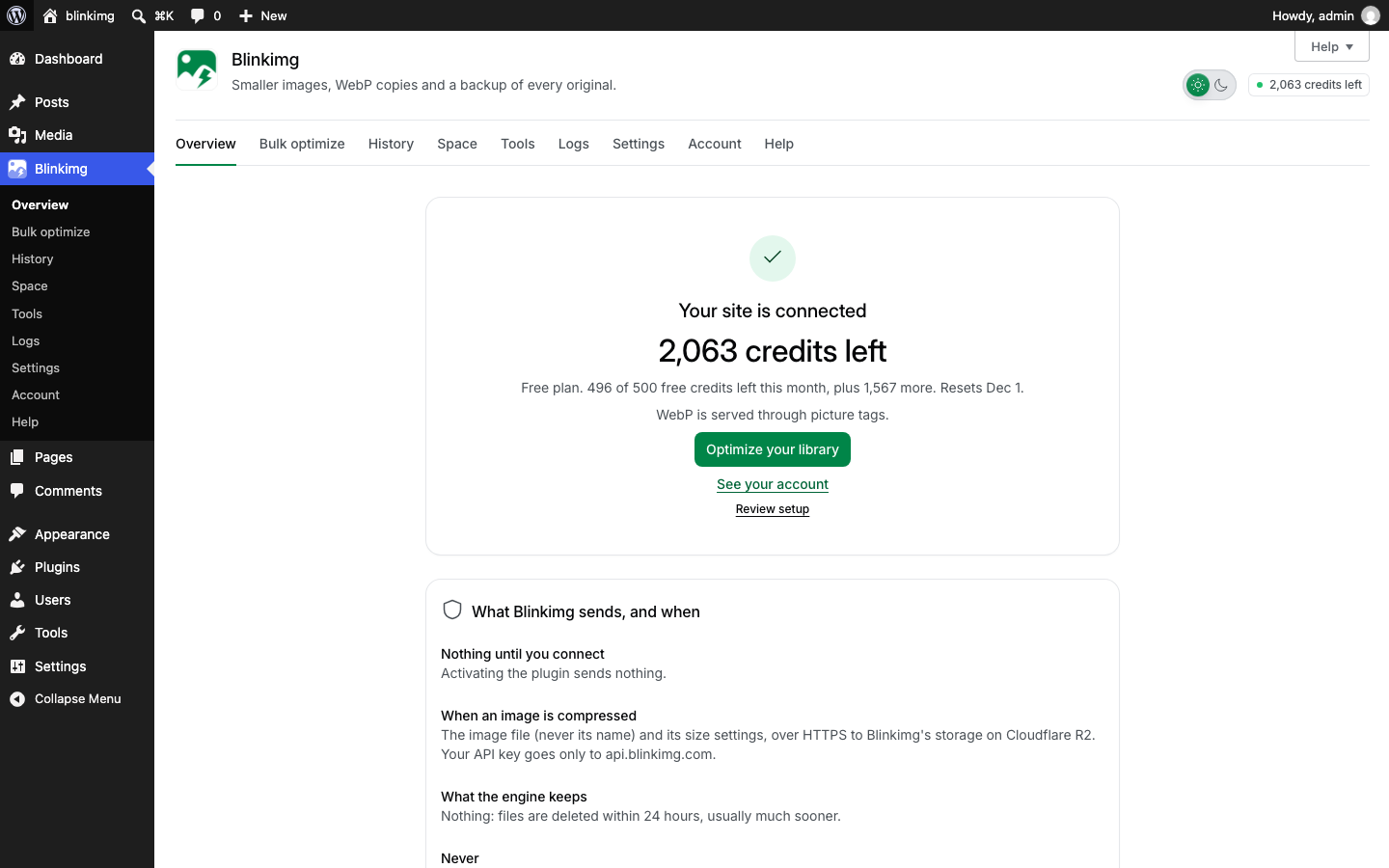
The WebP and AVIF copies sit beside photo.jpg, and the page’s picture tag offers both, with the JPEG for every other browser.Your image URLs stay the same
Quality
Auto quality, or your own
Auto keeps each image looking the same at a smaller size. Choose High quality, or Custom from 1 to 100, when you want more.
Pick which image sizes to optimize
A size limit for new uploads, from 320 to 10,000 px
Blinkimg’s engine, or your own server with no account
EngineBlinkimg (recommended)
Compress new uploads
QualityAutoHigh qualityCustom
Sizes to compressFull sizeThumbnailMediumLarge1536 × 1536
Thumbnails are free
And more
More in the free plugin
The small jobs that eat an afternoon, done for you.
Free spaceBinLeftovers
The bin keeps originals
7 days15 days30 days
Free disk space
Delete originals moves backups to a private bin for 7, 15 or 30 days. Restore works until then.
CameraDateGPSCopyrightAuthorAI toolPromptMade by AI
Remove EXIF and AI metadata
The camera, date, GPS, copyright and author, and AI tool names, prompts and the made-by-AI tag.
red-velvet_cake-1024x768alt=“Red velvet cake”
IMG_4021Skipped
Alt text from clean titles
Only where an image has none. Titles like IMG_4021 are skipped, and it uses no credits.
WP RocketLiteSpeed CacheW3 Total CacheWP Super CacheWP Fastest Cache6 moreCloudflare
Cache cleared for you
After you change delivery or restore images. An optional Cloudflare API token clears Cloudflare too.
Folder2019/
File namelogo-*
Smaller thana size in KB
Exclusions
Skip folders, file names or images under a size. A skipped image costs no credits.
Administrators only
Administrators and editors
Anyone who can upload files
Who can optimize
Administrators only, with editors, or anyone who can upload. Multisite runs on one account or one for each site.
$ wp blinkimg bulk start
$ wp blinkimg status
WP-CLI
Optimize your library from the command line, and run the queue from a system cron.
Connection to Blinkimg
Background work
Delivery
Other image optimizers
Logs and Site Health
Checks with Test again, a log of problems kept 30 days, and Blinkimg’s tests in Site Health.
Works with
Works with your theme, builder, cache and host
Blinkimg works through WordPress’s own image functions, so it fits the site you already have.
Any theme or page builder
Images WordPress prints get the copies: posts, blocks, widgets and galleries in the block editor, Elementor, Beaver Builder, Bricks and Divi.
WooCommerce stores
Product galleries, and the photo of each variation a shopper picks.
Any cache plugin
Clear it once after a change. Blinkimg clears 11 for you, WP Rocket and LiteSpeed Cache among them.
Any host
Apache, LiteSpeed, nginx and IIS, shared hosting too. On Apache and LiteSpeed, server rules cover every image in uploads.
Any CDN
Picture tags work with every CDN. Add a pull CDN’s address, and a Cloudflare token clears Cloudflare.
Multisite and PHP 7.4 to 8.5
One account for a whole network, or one for each site. Tested on PHP 7.4 and 8.5.
Two engines
Blinkimg’s engine, or your own server
Choose one in Settings, Compression.
BlinkimgDefault
The work runs on Blinkimg’s servers, never while a visitor loads a page.
Blinkimg’s engine needs a free account and uses credits: 500 free every month.
Each image goes over HTTPS and is deleted within 24 hours.
Blinkimg’s engine suits shared hosting: your site only sends each image and saves the results.
This serverNo account
Your server’s own GD or Imagick makes the files, in the background.
No account, no credits, and no image leaves your server.
Making the files uses your server’s CPU and memory, which can slow your site.
AVIF needs a GD or Imagick that can write it. Blinkimg says when yours cannot.
What people say
Every rating counts in the average, low ones too. We remove only spam, abuse and fakes.
Average rating
5.0
32 ratings, 6 written
531
41
30
20
10
How did it go?
One tap. No account needed.
Filter:
6 reviews
Written reviews
Credits
How many credits does your site need?
Move the sliders to your library. Every account gets 500 free credits a month.
2,500
10050,000
100
05,000
Your library, once
5,000
credits for 2,500 images
New uploads, a month
200
credits for 100 images
The plan that fits
Free
500 credits a month. It finishes your library in about 17 months.
Pro yearly brings 30,000 credits at once: your whole library and a year of new uploads.
Refunded in full within 14 days if you have used under 20% of a plan’s credits, or under 10% of a pack (our refund policy). Every plan side by side on the pricing page.
Installation
Install it in four steps
Coming to WordPress.org. Create your free account now: the plugin asks for its API key when you connect. The plugin needs WordPress 7.0 or later and PHP 7.4 or later, under GPLv2 or later.
Yes. The plugin is free, under GPLv2 or later. Blinkimg’s engine needs a free Blinkimg account, which includes 500 credits every month. A paid plan adds more credits a month. This server needs no account and no credits.
Can I use Blinkimg on more than one site?
Yes, on any number of sites, on every plan. All your sites share your account’s credits. Give each site its own API key, so your dashboard shows what each one uses and you can turn one off without the others. On multisite, one network key can cover every site.
How many images a month are free, counting thumbnails?
Every account gets 500 free credits a month, and the sizes WordPress makes of an image are free. An image and all its sizes cost 1 credit to compress, 2 with WebP and 4 with WebP and AVIF. So 500 credits cover 250 images a month with WebP copies.
How do I convert images to WebP in WordPress?
Choose WebP, AVIF or both in Settings, Formats. Blinkimg then makes the copies for each new upload, and Bulk optimize makes them for the images you already have. Each copy sits beside its image, and your JPEG or PNG stays for browsers that need it.
Will my images lose quality?
Not with the default. Auto keeps each image looking the same at a smaller size. High quality uses quality 90 for every format, and Custom sets one quality from 1 to 100. Compare shows the original beside the result, and Restore brings the original back.
Can I get my original images back?
Yes. Before Blinkimg changes a file, it copies the original into a private backup folder. Compare shows the original beside the result, so you can check first. Restoring an image brings back its original and removes the WebP and AVIF copies. Restoring uses no credits.
What happens when my credits run out?
A bulk run pauses and goes on by itself when credits arrive, and new uploads wait in the queue. Nothing else stops: your images, Restore and your settings keep working. Your free credits come back on the 1st of each month, and a plan or a credit pack adds more.
Does Blinkimg change my image URLs or posts?
Not by default. Your images keep their URLs and file names, and Blinkimg leaves your posts alone. The WebP and AVIF copies sit beside each file, as photo.jpg.webp. WebP only is the exception, and Restore points your posts back.
Does it work with Cloudflare, my CDN and my cache plugin?
Yes. Picture tags work with every CDN, and you add a pull CDN’s address in Settings, Delivery. After you change delivery or restore images, Blinkimg clears the cache of 11 cache plugins. An optional Cloudflare API token clears Cloudflare too.
Will it slow down my site?
With Blinkimg’s engine, no. Blinkimg works in the background, at most 100 requests a minute, and never while a visitor loads a page. With This server, making images uses your server’s CPU and memory, so your site can slow down.
Does Blinkimg help with PageSpeed’s image warnings?
Yes, with the ones about format and file weight, under Improve image delivery. Blinkimg compresses each image and serves WebP or AVIF copies to the browsers that show them. Your score depends on more than images, so test a page before and after.





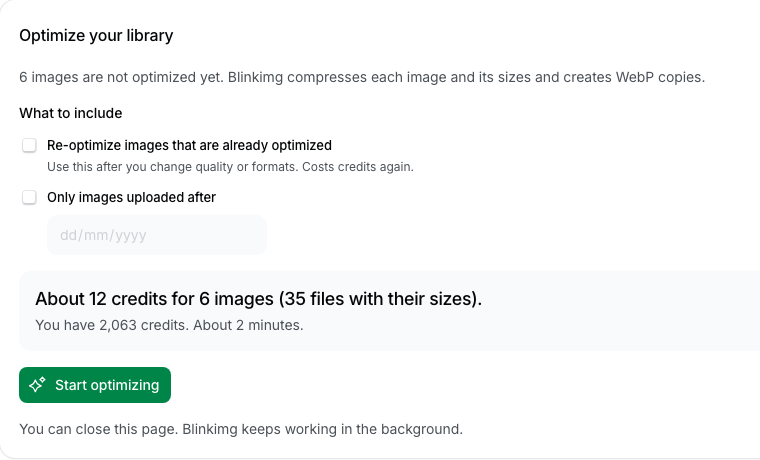 Compress new uploads: on by default
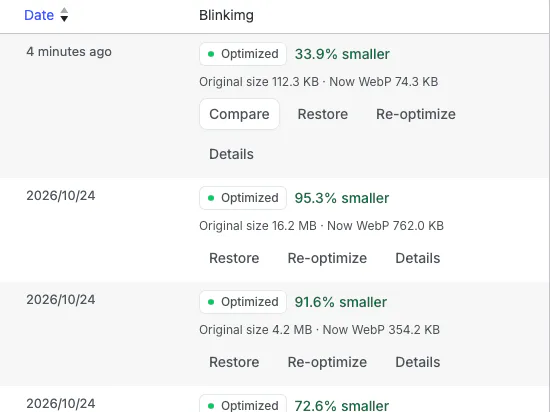 Select up to 500 at once

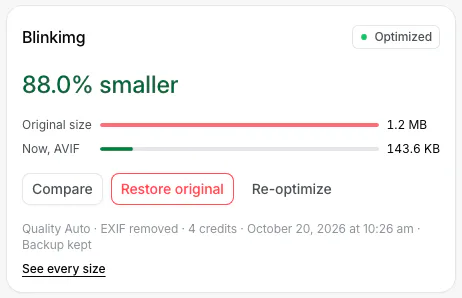 Restore: 0 credits